
Anchor
PRODUCT DESIGN CASE STUDY
Designing a low-friction system for consistent emotional reflection
Role
UX/UI Designer
Timeline
Dec. 2025 (2 .5 weeks)
Tools
Figma
Users struggled to engage regularly with their emotions
Existing tools felt overwhelming, unclear, or too time-consuming.
Goal: Create a simple, low-friction way to check in.
Users felt overwhelmed by existing reflection tools
Problem
Solution
Focus
Outcome
Simple, guided emotional check-ins
Reduce friction and mental load
Increased consistency in daily check-ins
At a Glance








Solution
Reducing Decision Friction in the Booking Flow
Core Design Decisions
I simplified the reflection experience by reducing friction and guiding users to one clear action at each step.
Clear Starting Point
Reduced Friction
Early
Guided Flow
Simplified steps to support repeat reflection
Clear Starting Point
Why: No clear place to begin
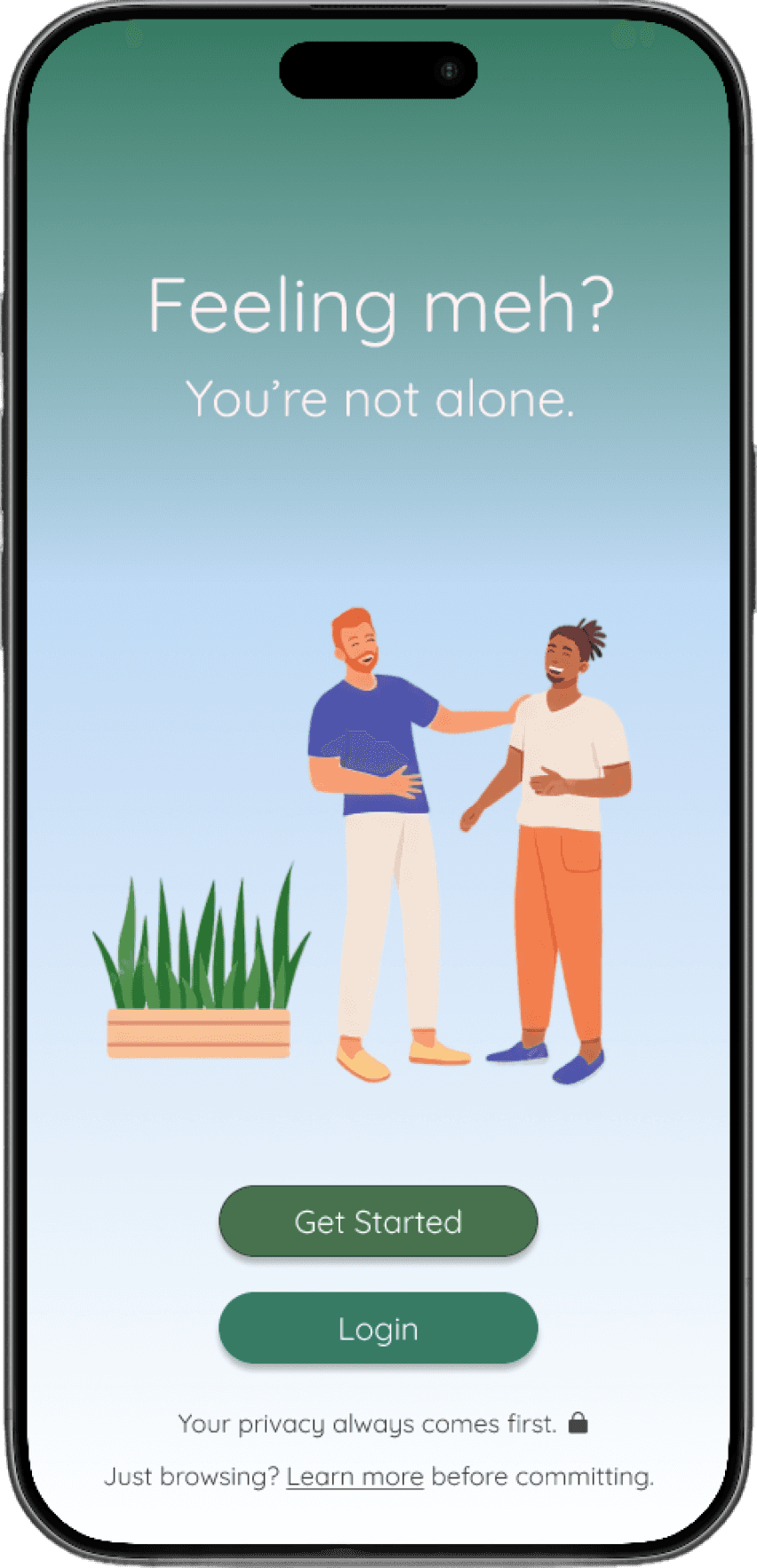
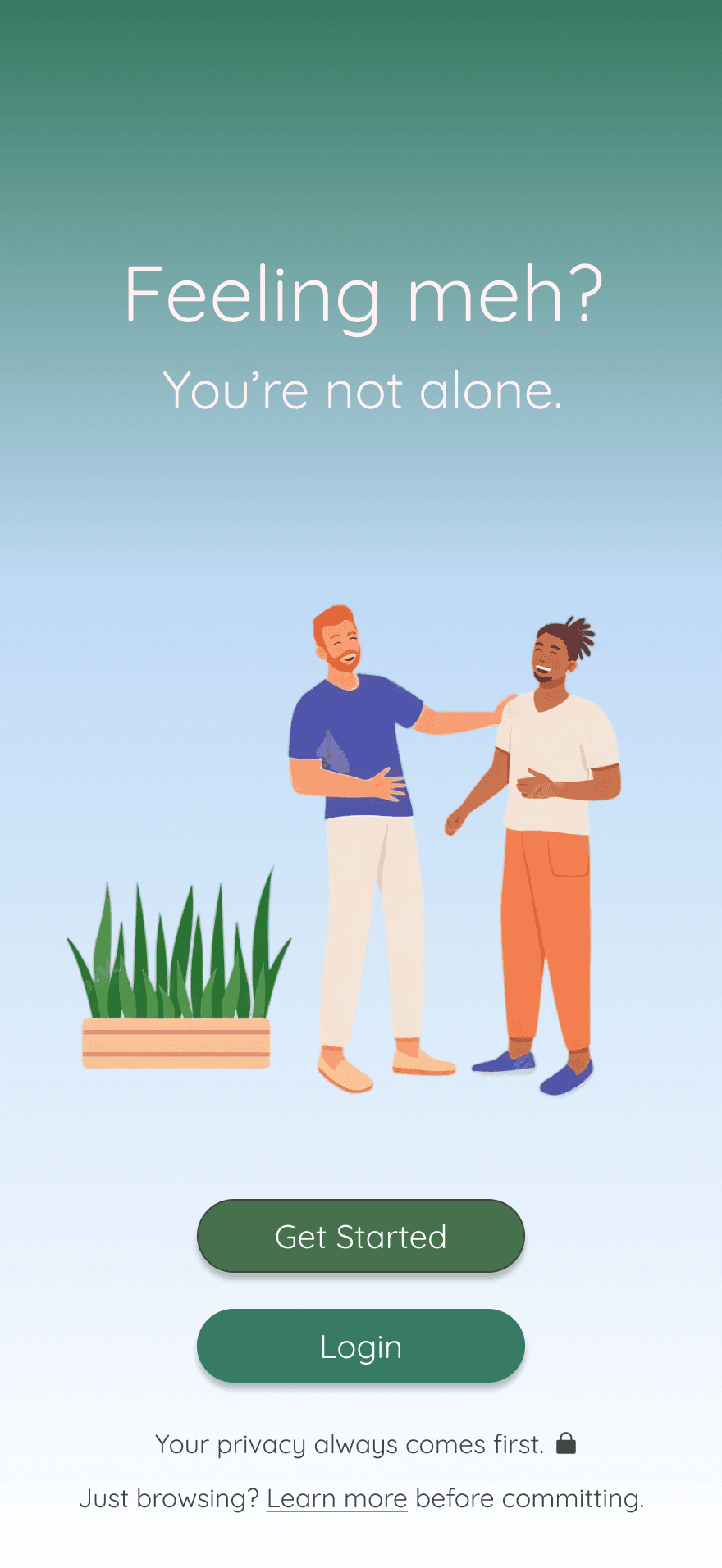
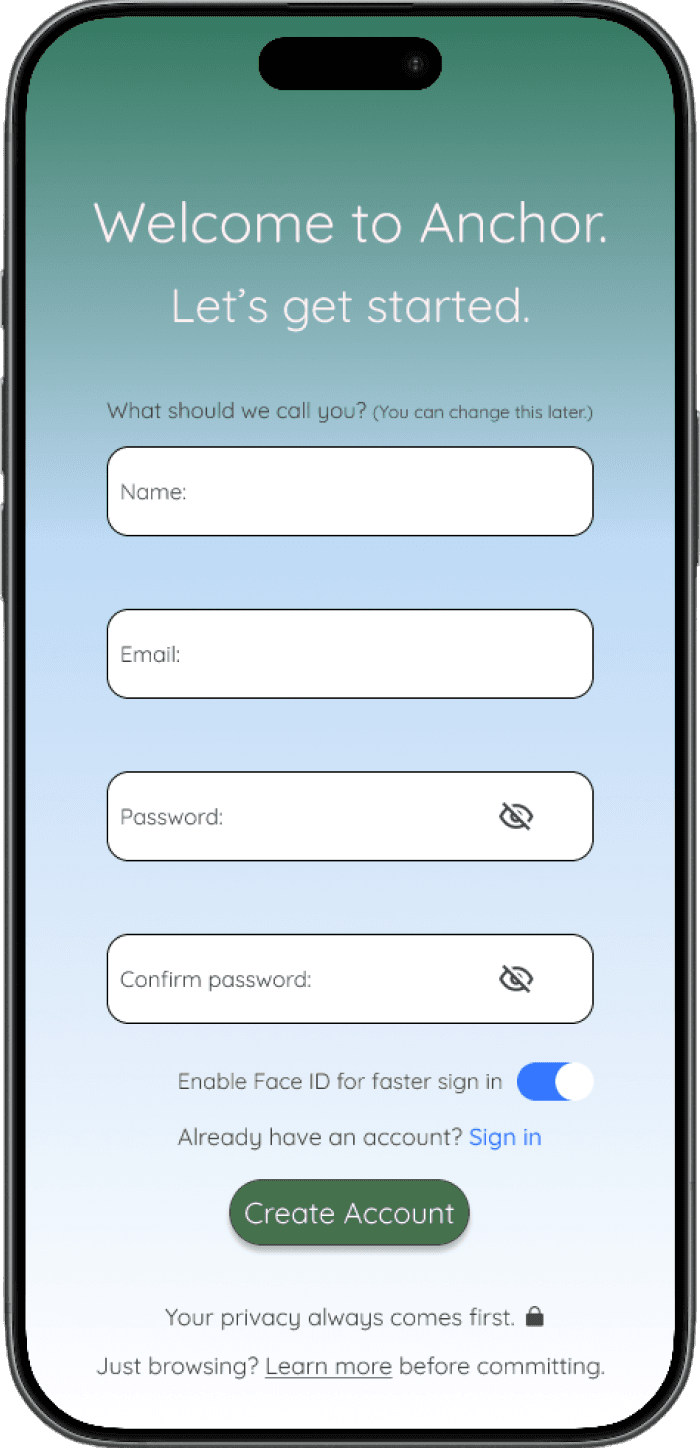
What I Did: Added one primary entry to prompt reflection
Impact: Reduced hesitation and increased first interactions

1
2
Focused on reducing friction and building consistency
Reduced Friction Early
Why: Too many early steps discouraged use
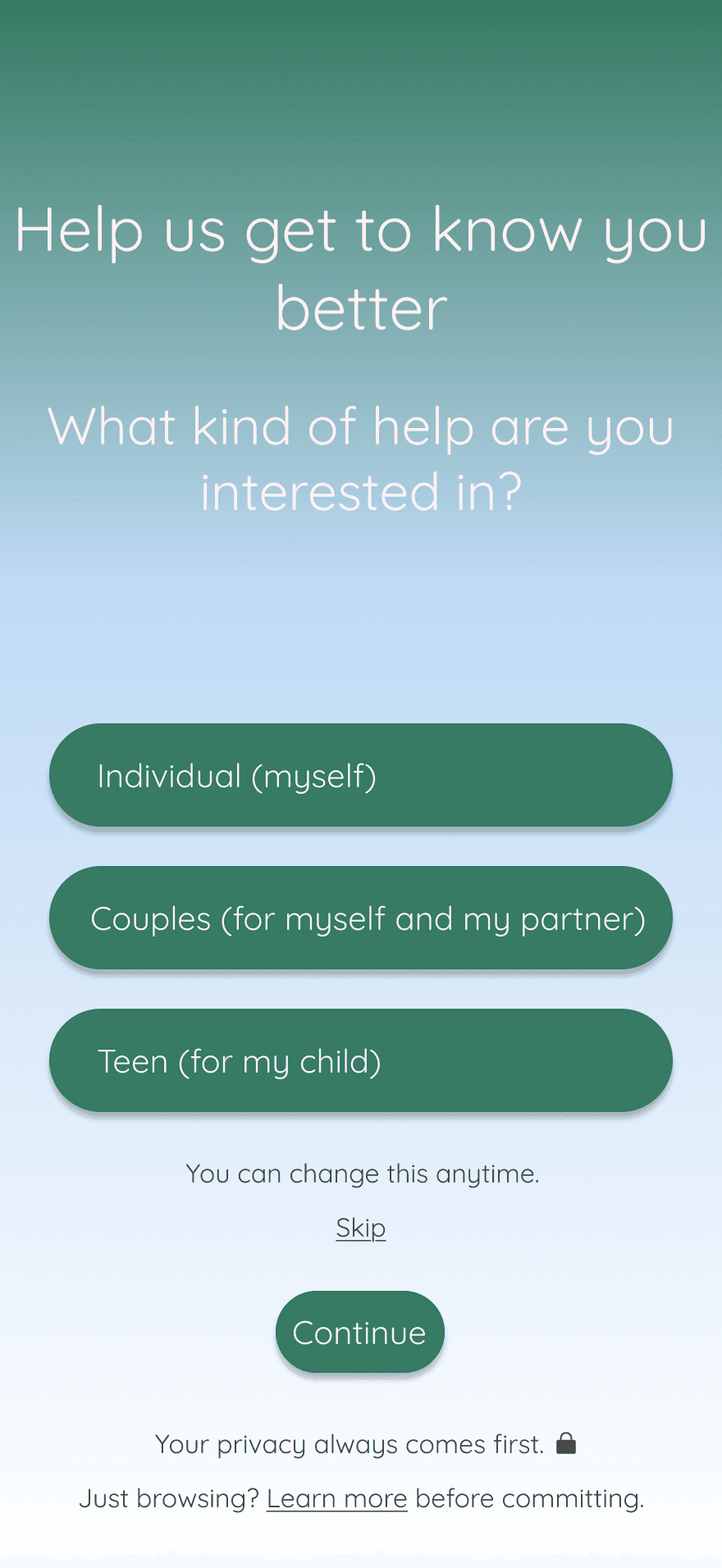
What I Did: Simplified inputs and reduced initial effort
Impact: Faster completion and improved consistency
3
Guided Flow
Why: No clear progression through the experience
What I Did: Structured a simple step-by-step check-in
Impact: Reduced drop-off mid-flow
Validation & Impact
Reducing Decision Friction in the Booking Flow
Validation Results
Validated Entry Experience
Key Learnings
How I validated the solution and what improved
Conducted lightweight usability testing to validate clarity and ease of emotional check-ins.
Clear direction drives faster action
Users responded best to a single, clear starting point
Early friction reduces consistency
Simplifying initial steps improved completion and repeat use
Guided flows improve engagement
Step-by-step check-ins helped users stay consistent over time
Users completed check-ins faster with fewer steps
Hesitation at the first interaction decreased
Reflection flow felt more intuitive and approachable
Simplifying early interactions improved completion and supported repeat engagement over time
Impact
Designed for consistent, low-friction reflection
Reflection & Next Steps
Reducing Decision Friction in the Booking Flow
What I Learned
Reducing early friction has the biggest impact on reflection consistency
Clear starting points outperform multiple options
Guided flows increase confidence and reduce hesitation
Simplicity drives more consistent, repeat engagement
What I’d Improve
Introduce personalized reflection prompts based on user behavior
Add lightweight progress tracking to reinforce consistency
Validate the experience with a larger, more diverse user group
Explore subtle flexibility without increasing cognitive load
If I Had More Time
Validate long-term retention beyond initial check-ins
A/B test entry points to improve first interaction completion
Refine micro-interactions to make the experience feel more responsive
What I learned and how I would improve the experience further
Prioritizing clarity early drives stronger consistency and sustained engagement
Simplifying early interactions improved completion and supported repeat reflection over time
Problem & Opportunity
Reducing Decision Friction in the Booking Flow
The Problem
Key Insights
Users struggled to engage consistently with reflection.
Why users struggled to engage regularly with reflection
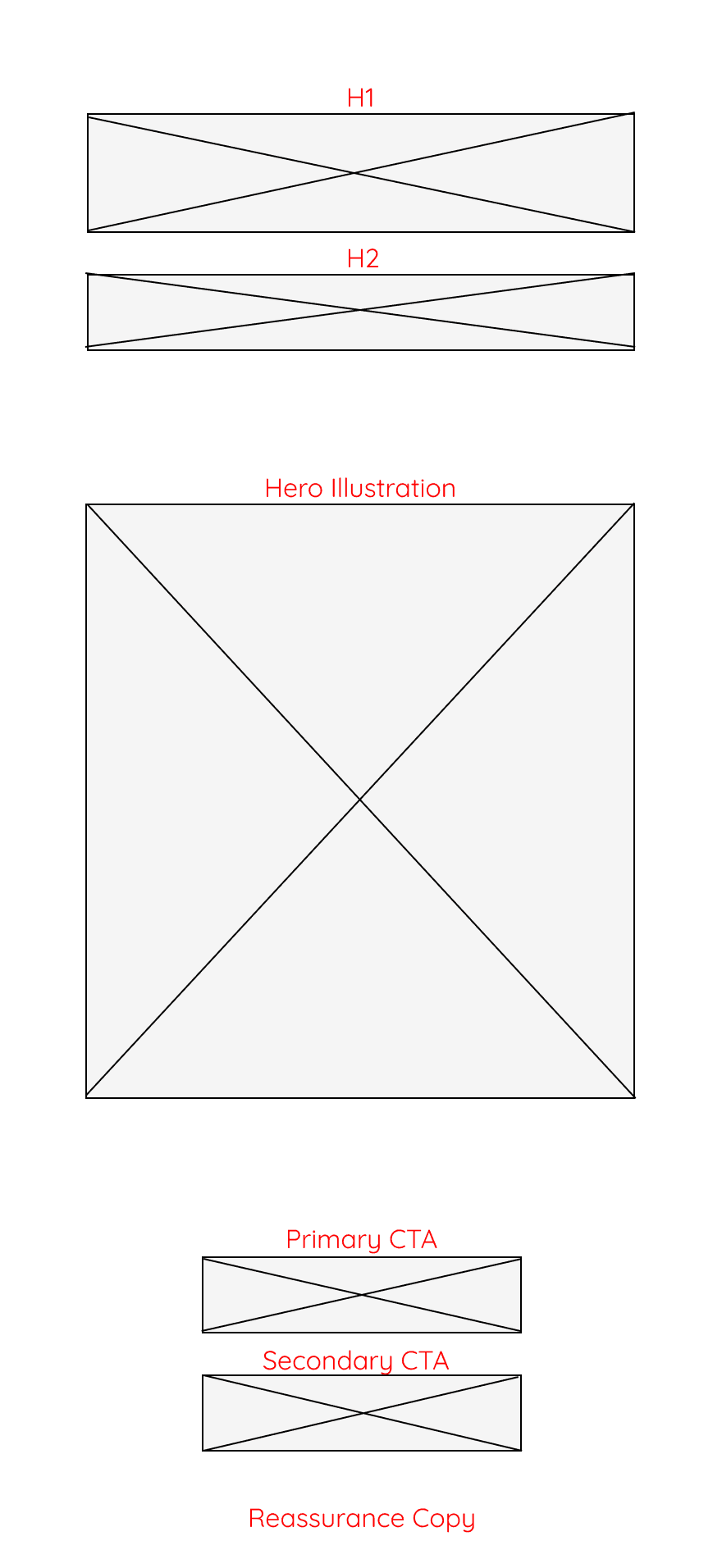
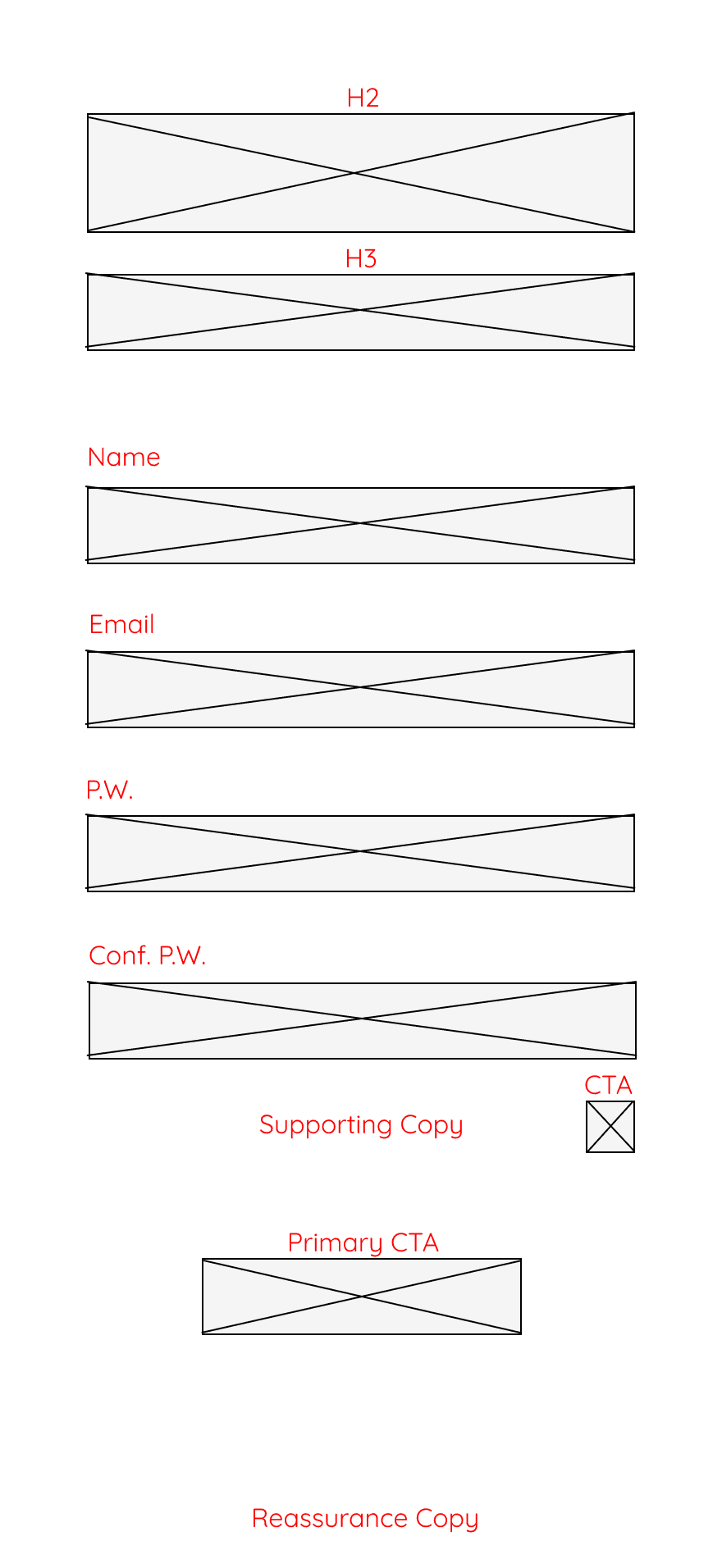
Early wireframes
Explored layout, hierarchy, and entry points before visual design
Existing tools introduced too much friction early, with unclear starting points and time-consuming inputs.
Guide users to one clear starting point
Reduce friction from the first interaction
Support quick, repeatable emotional check-ins
Unclear Starting Point
Users didn’t know how to begin, causing hesitation
Too Much Friction Early
Multiple steps discouraged consistent use
Lack of Guided Flow
No simple, step-by-step check-in experience
Why It Matters
Drop-offs: Users avoided or abandoned reflection before starting
Mental load: Too much effort made reflection feel overwhelming
1
2
3
The Opportunity
Make reflection effortless and repeatable

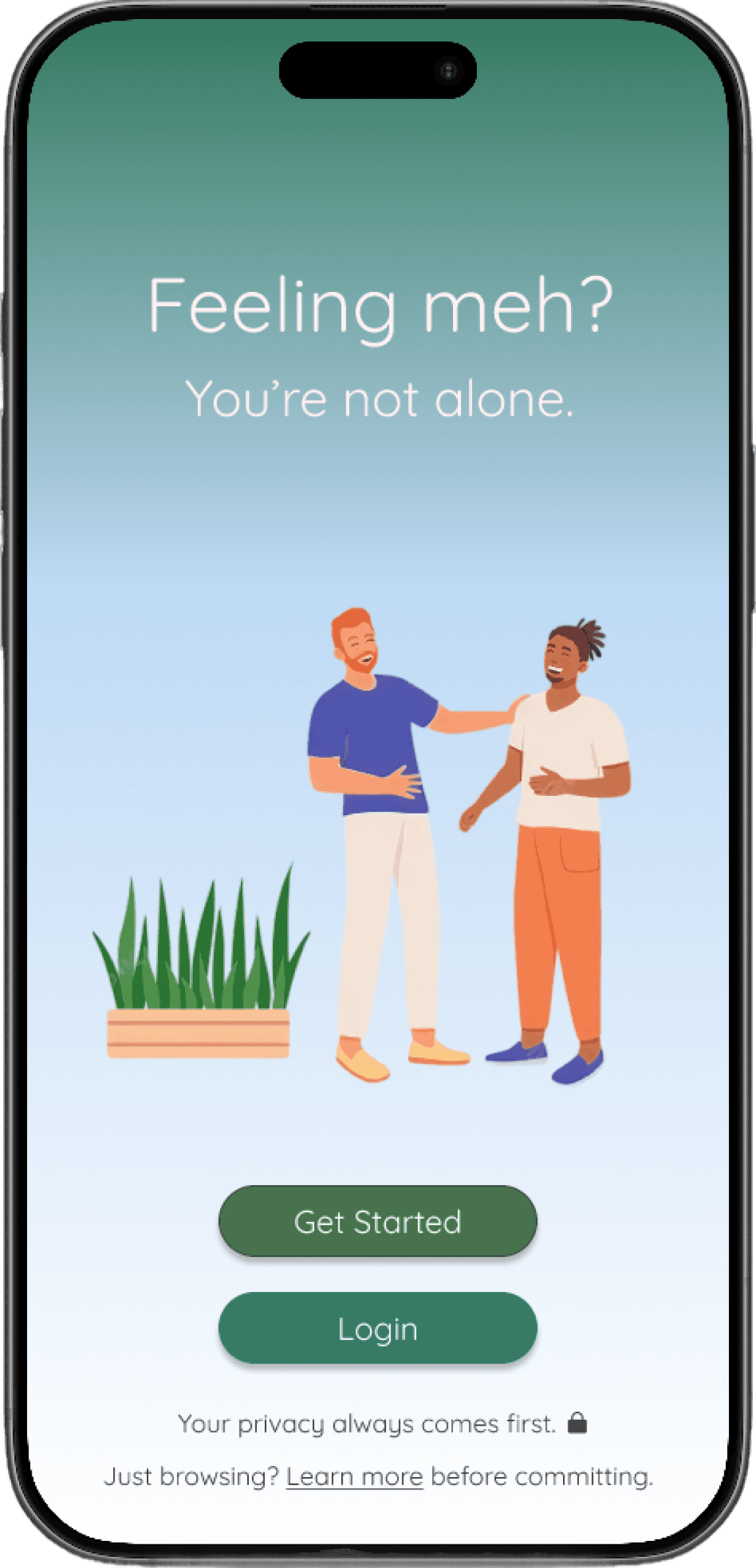
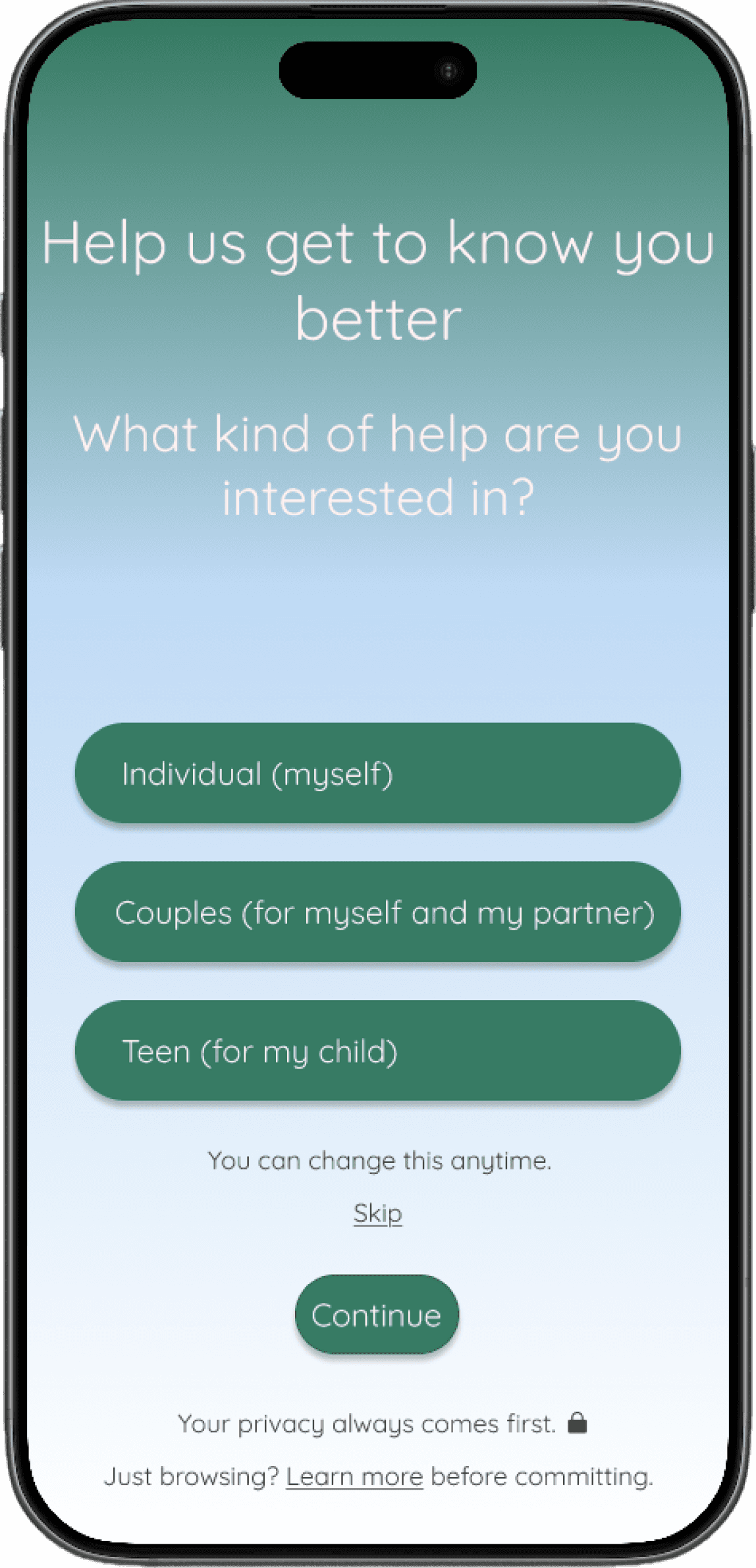
Key Designs
Final interface focused on clarity, low friction, and repeatable reflection
Clear Starting
Point
Reduced Friction
Early
Guided Flow
One clear entry point to prompt immediate reflection
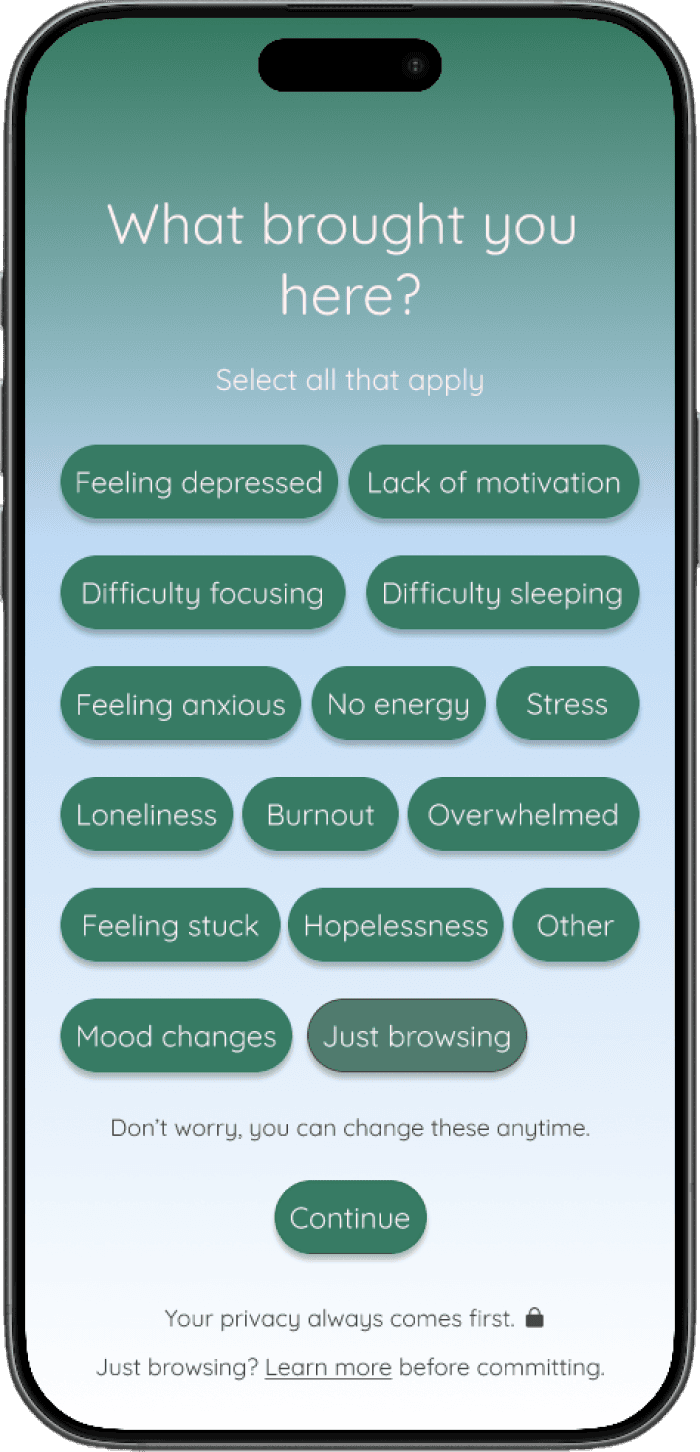
Reduced early inputs to make reflection feel effortless
Step-by-step check-ins to guide users without friction
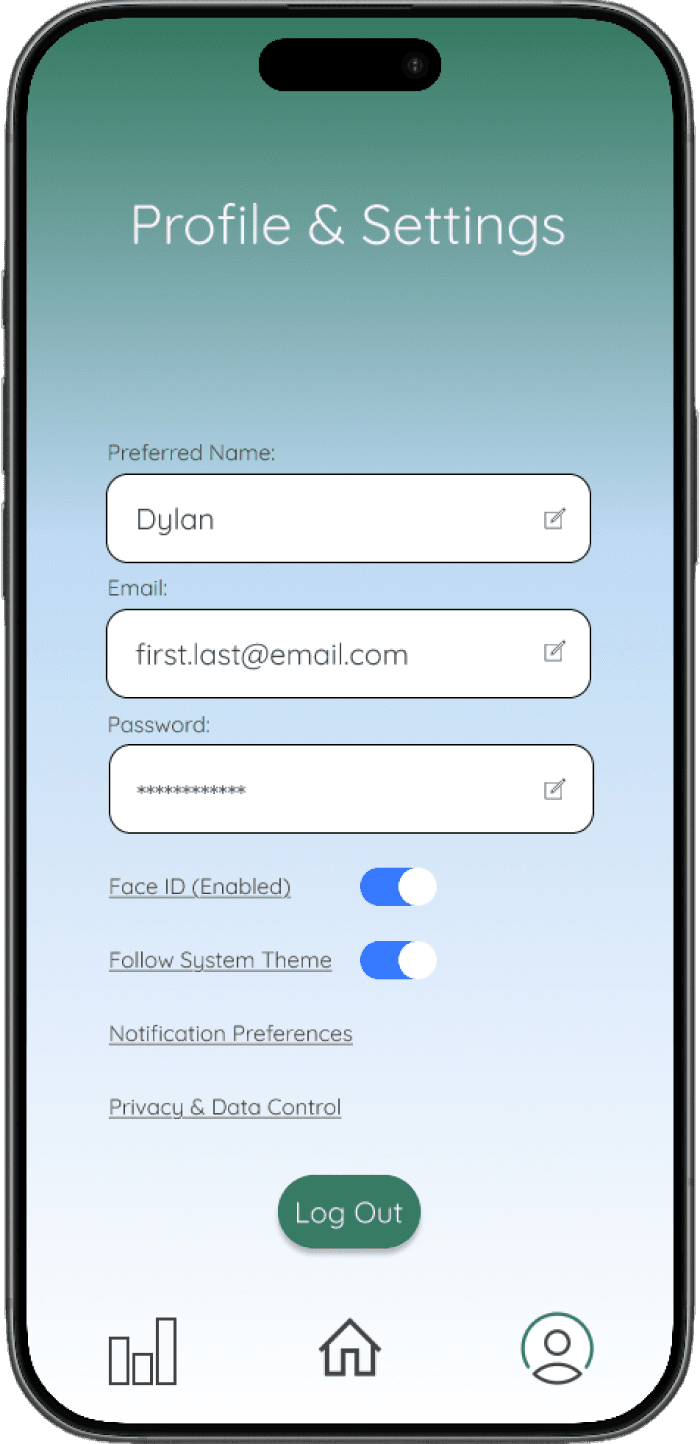
Additional Flows
Built for quick, consistent reflection
Hi Desert Communications
Role - UX/UI Designer
Tools Used - Figma
Platform - iOS
Timeline - Mar. 2026 - Apr. 2026 (5 weeks)
A low-friction mood tracking experience designed to support consistency during low-energy moments
Overview
Designed for users who struggle with consistency
Focused on reducing effort and decision fatigue
Goal: make daily check-ins feel effortless
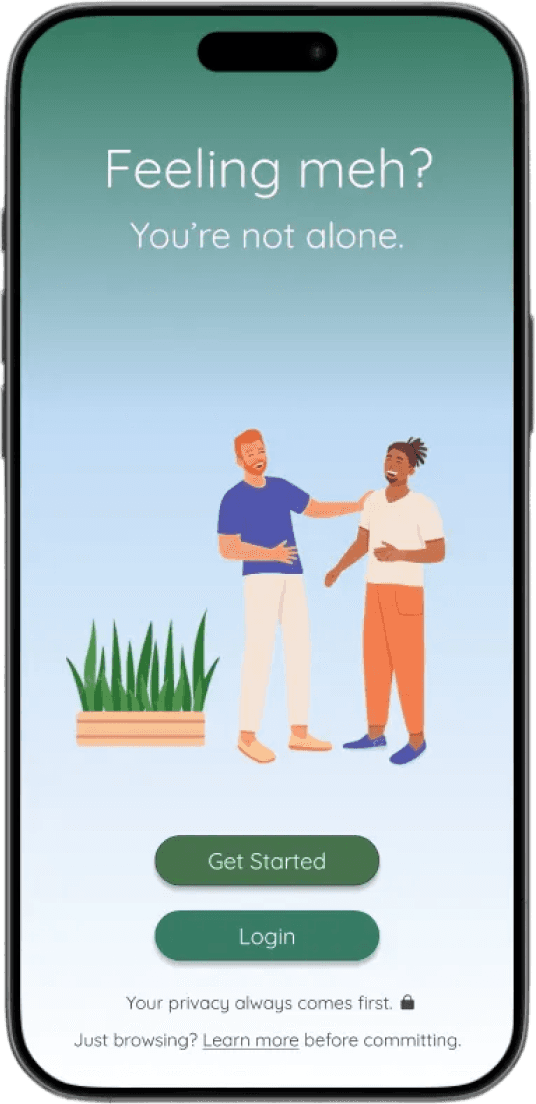
Problem & Opportunity
The Problem
Users want to track their mood, but:
Low energy makes apps feel overwhelming
Too many steps create friction
Inconsistent use breaks habit formation
The Opportunity
Design an experience that:
Works during low-energy moments
Requires minimal effort to use
Encourages consistent daily engagement
Solution
A low-friction, emotion-aware experience designed for quick check-ins, clarity, and long-term consistency
Clear Hierarchy
Designed for fast scanning during low-energy moments
Prioritized what matters most on each screen
Removed unnecessary decisions and visual noise
Structured Navigation
Centered the experience around one primary action: logging mood
Reduced steps between entry and action
Kept secondary features accessible without distraction
Supportive, Low-Pressure Design
Used calm, non-clinical visuals and messaging
Reduced emotional friction at the moment of entry
Reinforced consistency through a simple, approachable experience
Centered the experience around one primary action: logging mood
Reduced steps between entry and action
Kept secondary features accessible without distraction
Enable fast, low-effort daily check-ins
Reduce cognitive load in low-energy moments
Focus on one clear primary action (log mood)
Encourage consistency without pressure
Goals
Key User Journeys
These journeys highlight the primary paths
users take to quickly check in, reflect on
patterns, and build consistent habits.
Daily Check-In
Open → Log mood → Done
View Patterns
Open trends → Scan → Recognize patterns
Mood History
View entries → Scroll → Reflect
Personalize Experience
Open settings → Adjust preferences → Save
Information Architecture
Balanced user needs, emotional context, and content structure to support low-friction interactions and consistent daily use.
User Context
Emotionally low-energy or inconsistent at times
Easily overwhelmed by complex flows
Users
Task-focused users looking for quick check-ins
Need simple, low-effort interactions
Content
Mood logging (primary action)
Trends / patterns (insights)
Mood history (reflection)
Profile & settings (personalization)
Core Actions
Log Mood
View Trends
View Mood History
Supporting Content
Explore (learn about the app)
Profile & Settings
Preferences / privacy
Structuring High-Intent Actions
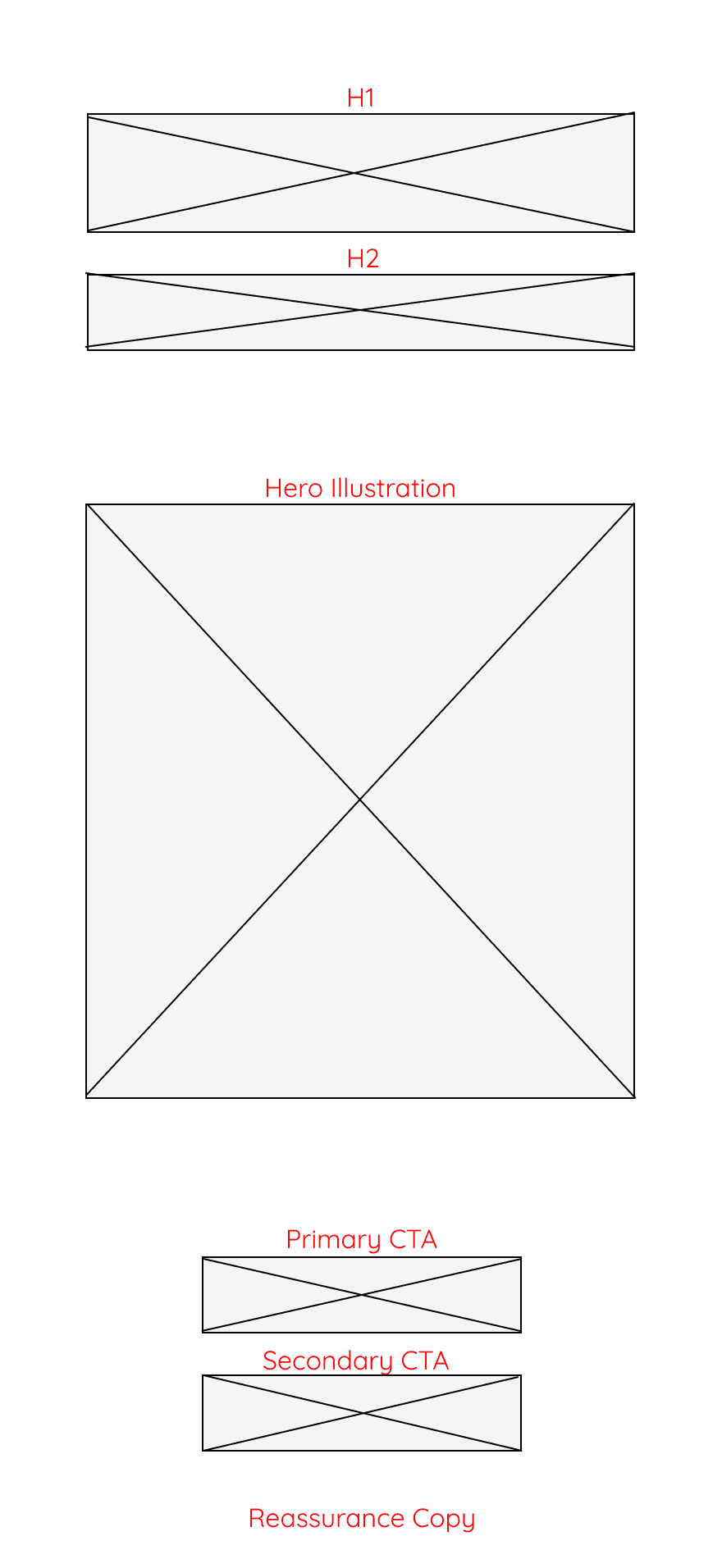
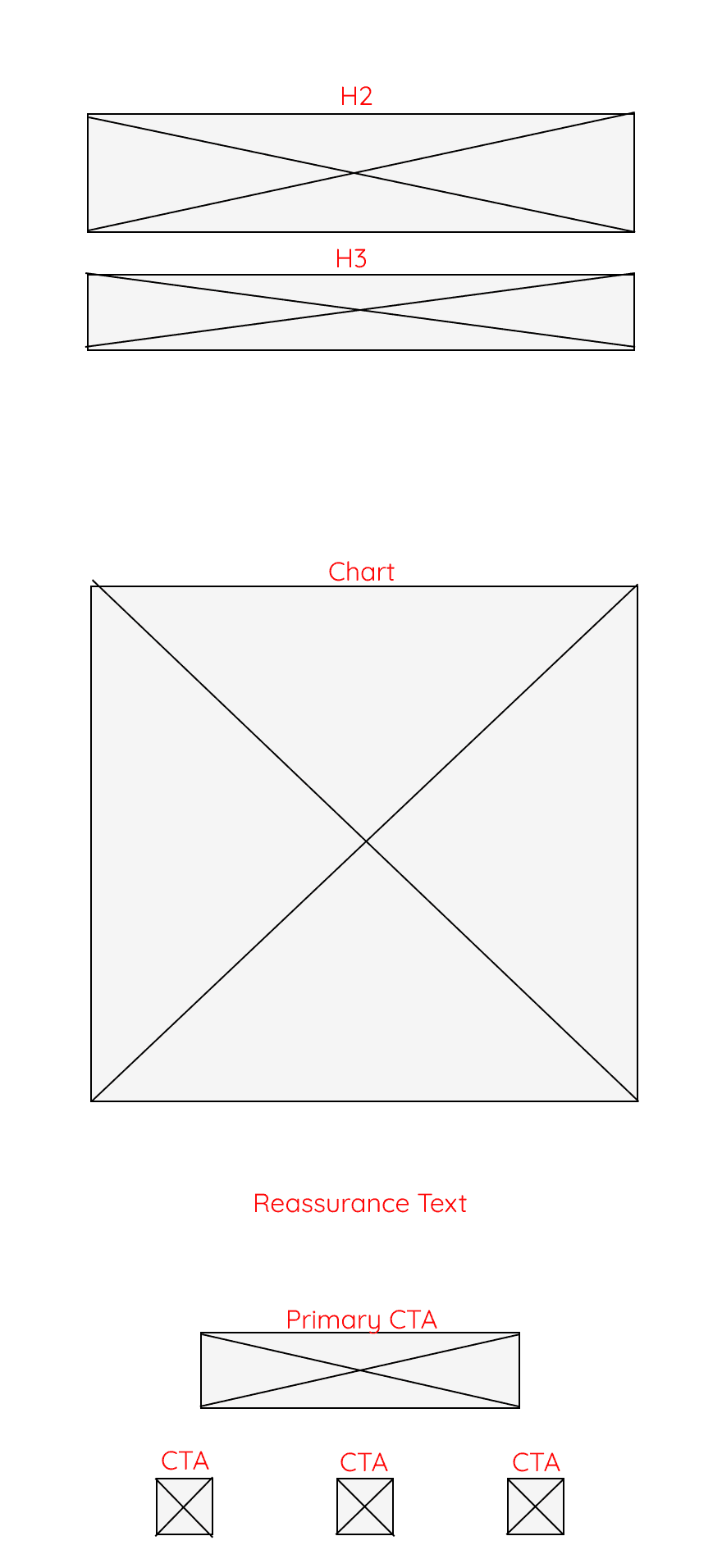
Lo-Fi Wireframes
Clear, supportive messaging
Immediate focus on primary action
(log mood)
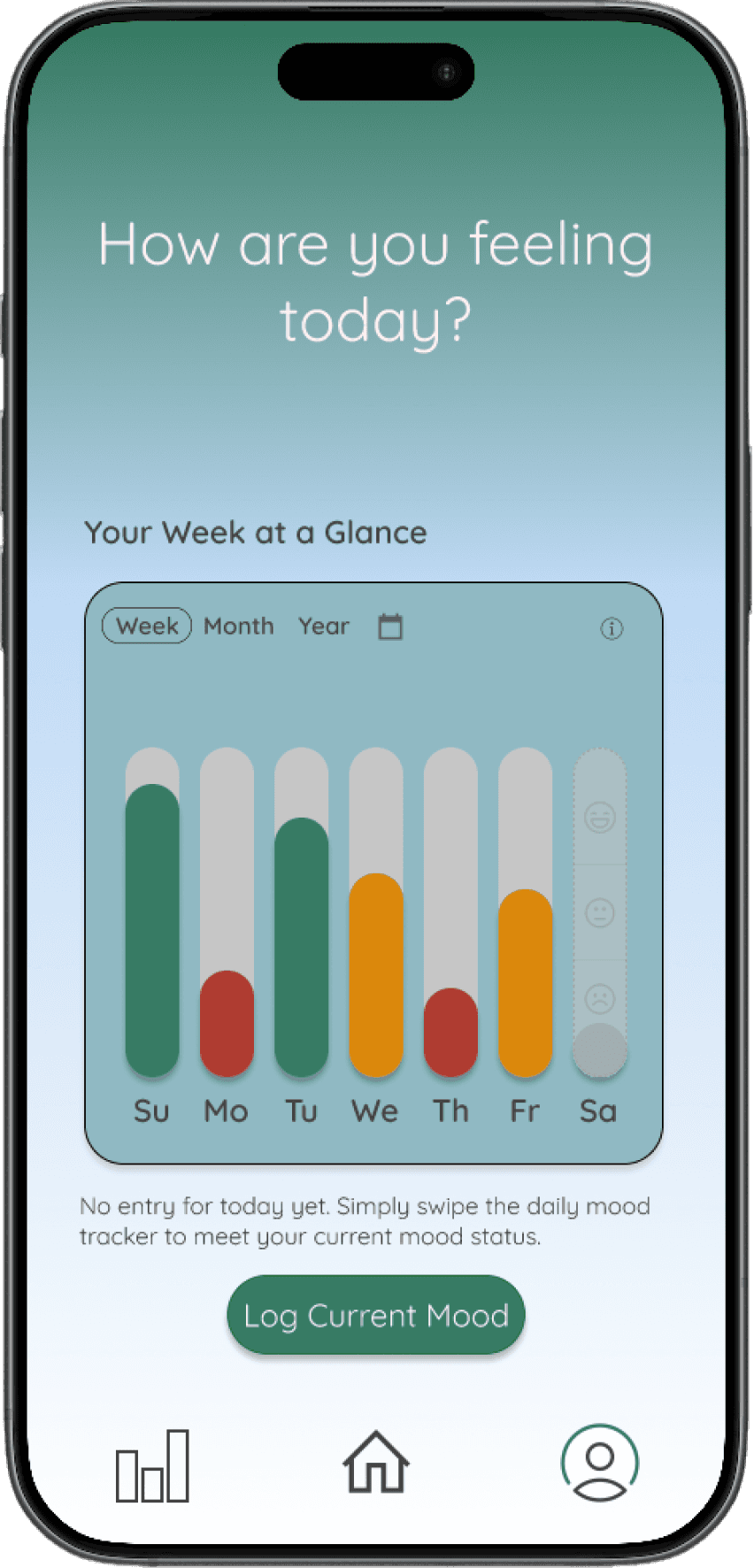
Insights surfaced at a glance
Lightweight visuals for quick reflection
Home / Entry
Mood History
Explored layout, hierarchy, and low-friction interaction paths before visual design.
Hi-Fi Screens
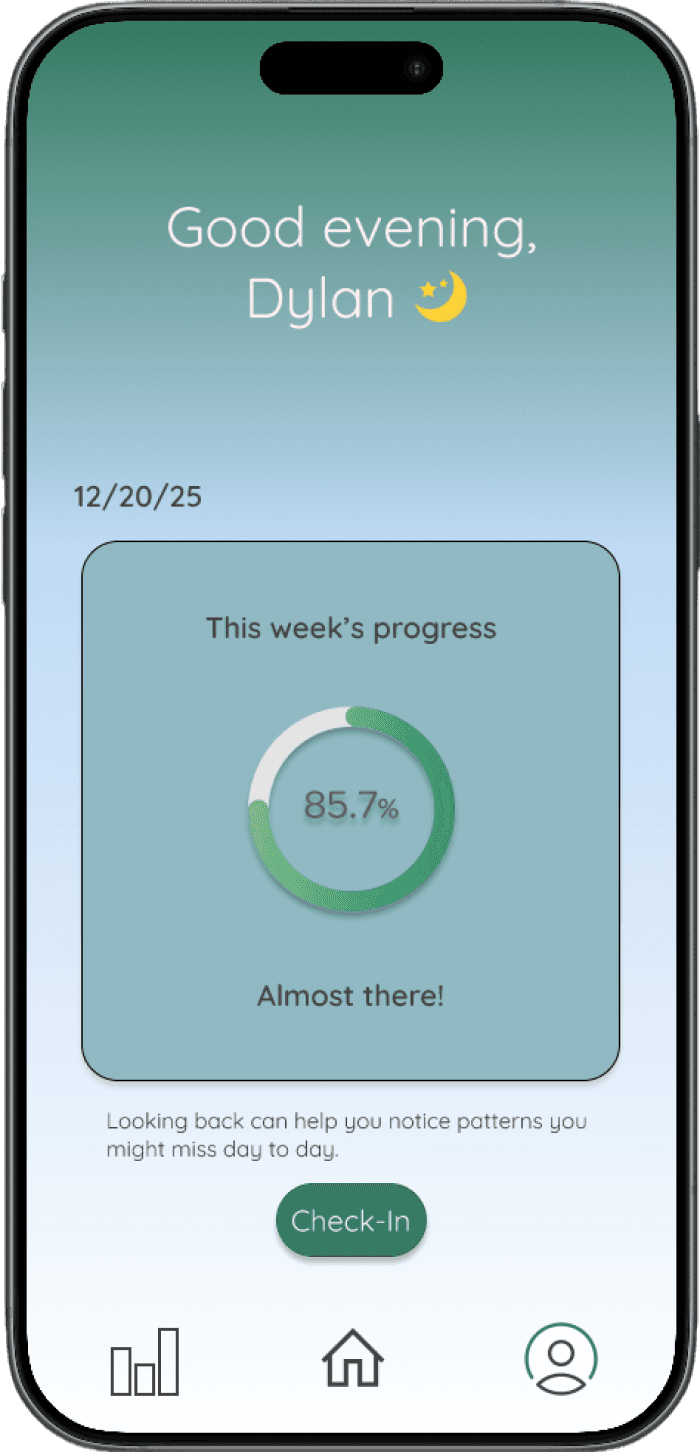
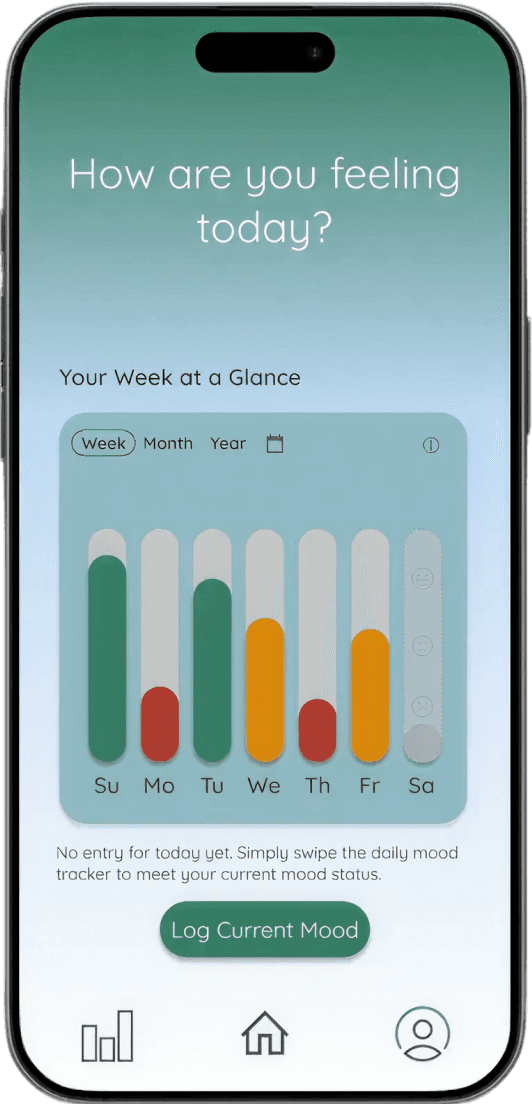
Final UI emphasizes clarity, ease, and low-effort interaction.
Primary actions are immediately accessible (log mood)
Clear hierarchy supports fast, distraction-free use
Consistent layout reduces effort and builds habit
Calm visuals create a supportive, non-overwhelming experience
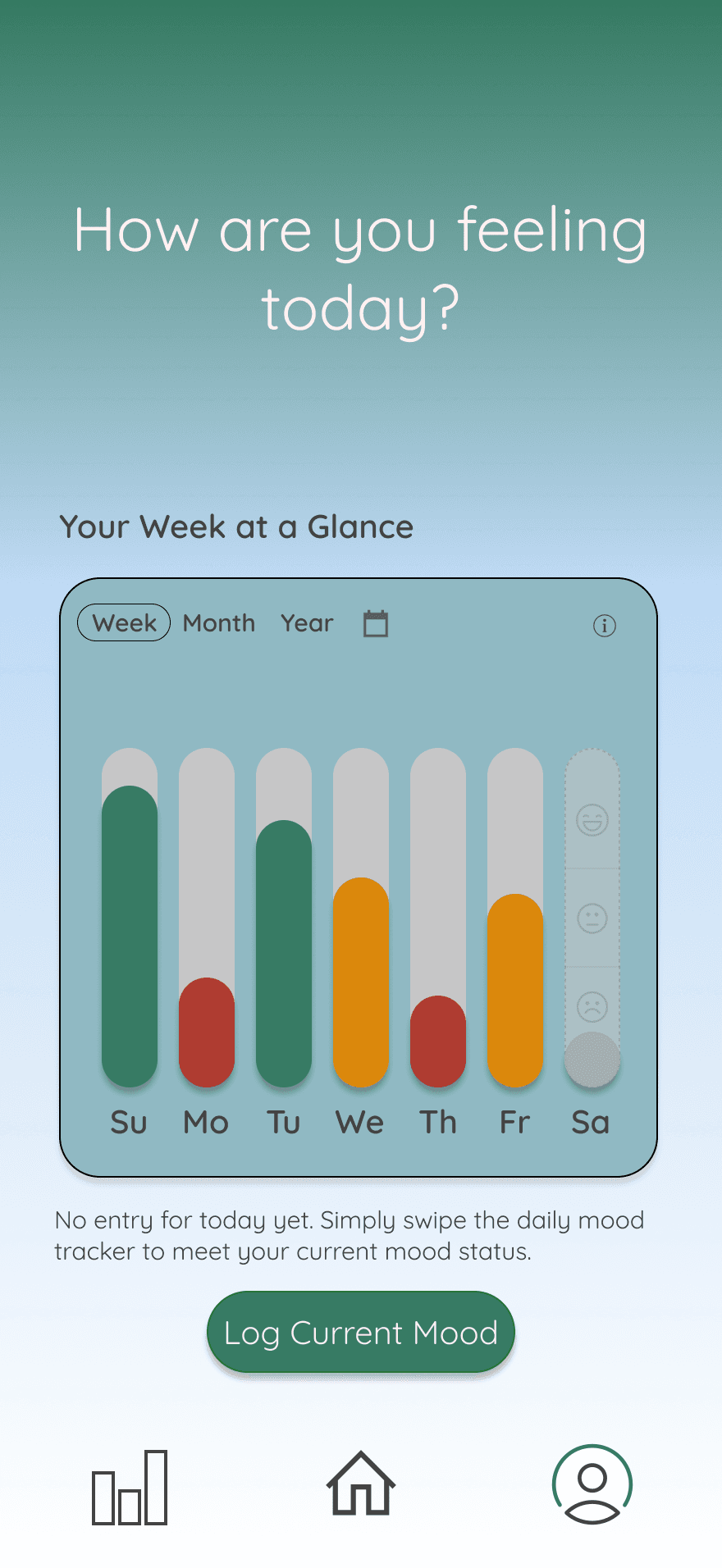
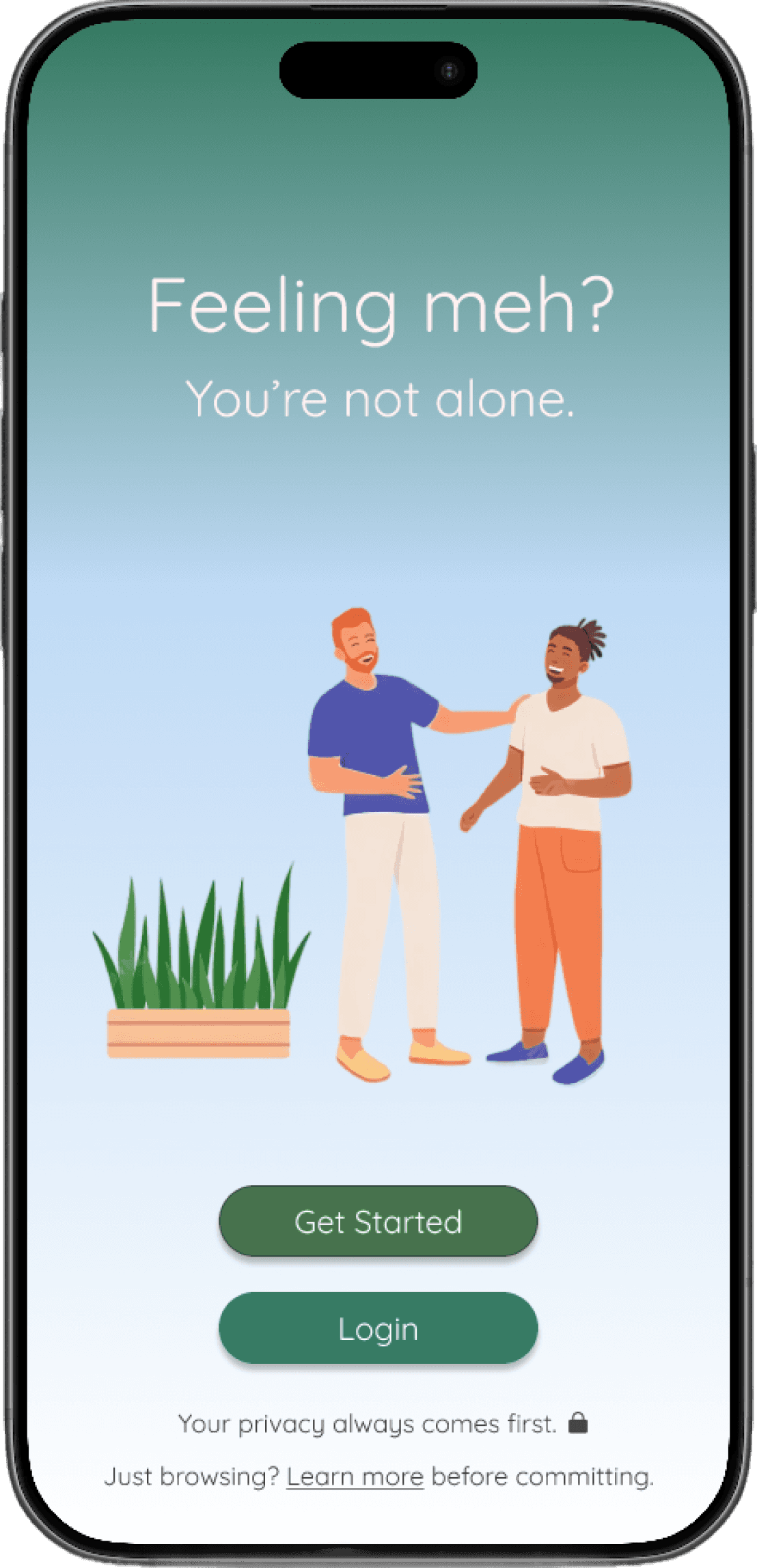
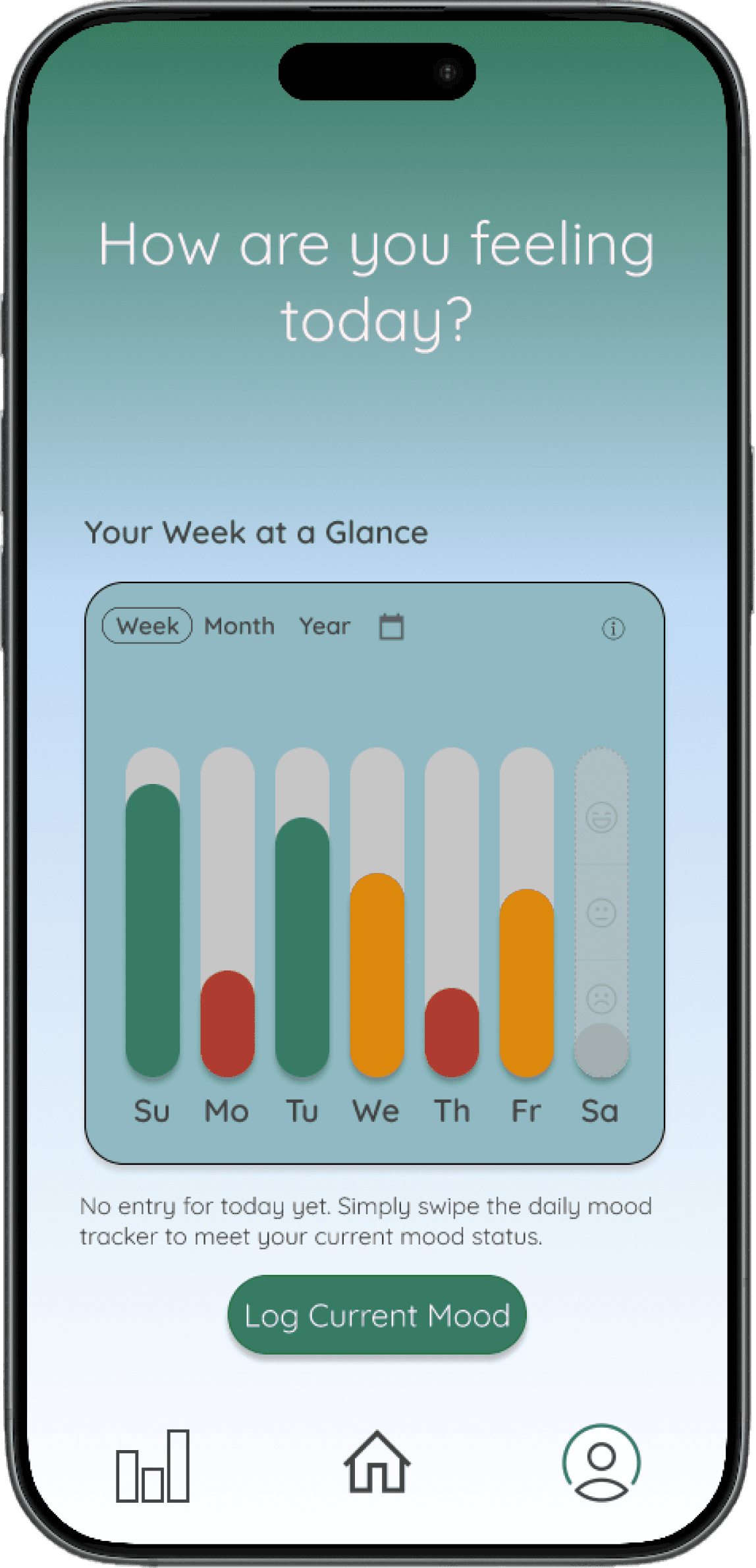
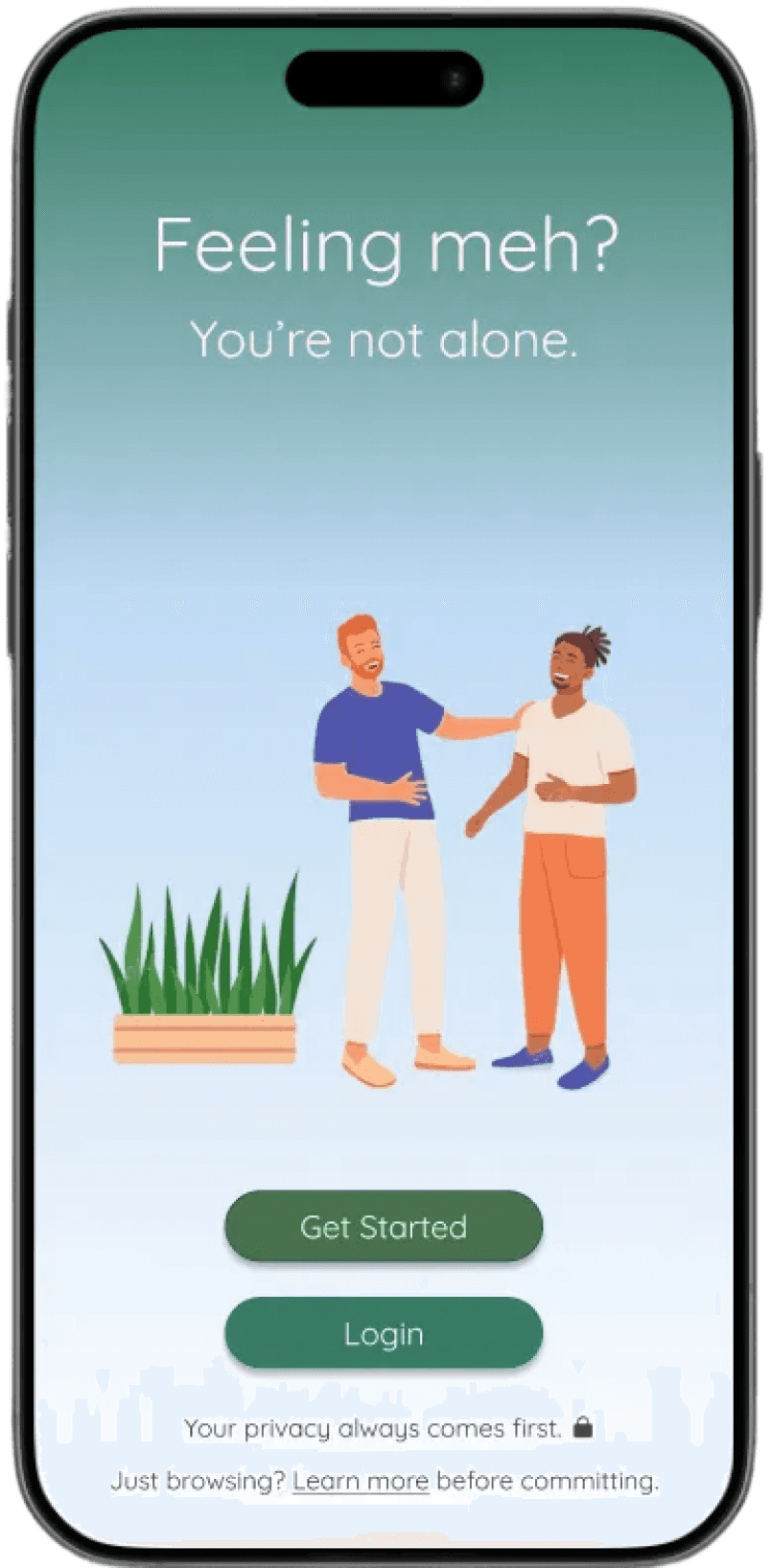
Home/ Landing
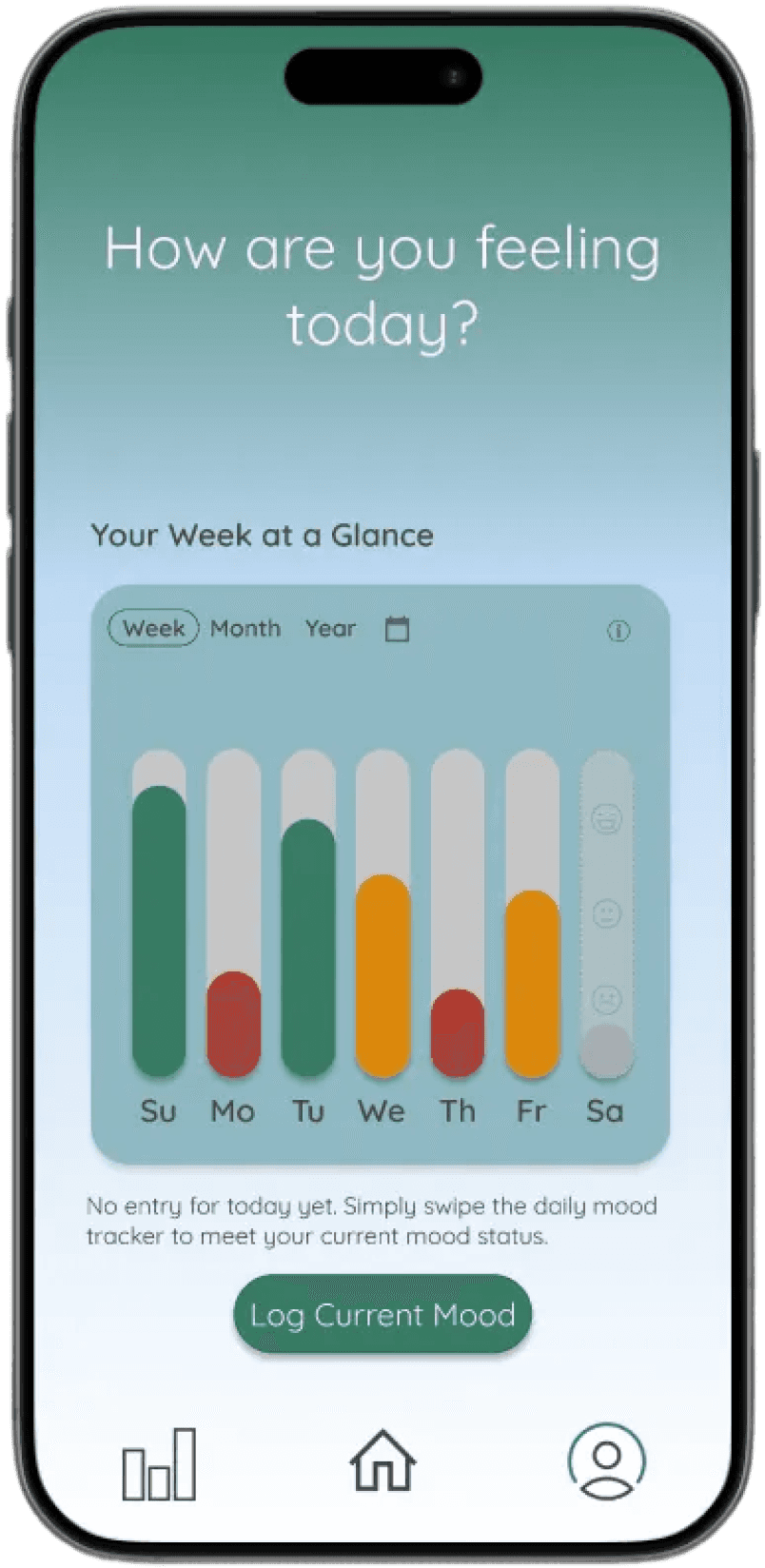
Mood History
Supportive messaging reduces hesitation
Focused CTA enables quick mood check-in
Minimal choices lower cognitive load
Visual tone reinforces calm and reassurance
Trends are easy to scan at a glance
Simple visuals highlight patterns over time
Quick access to logging keeps flow uninterrupted
Encourages reflection without overwhelming detail
Visual Direction & UI System
Designed to feel calm, supportive, and easy to use during low-energy moments
Calm palette reduces emotional intensity
Color used intentionally to guide action and feedback
Avoids high-contrast visuals that increase friction
Prioritizes clarity, warmth, and readability
Supports fast understanding with minimal effort
Color System
Typography
Components
Reduced onboarding friction through
step-by-step account and goal setup
Faster repeat interactions using
thumb-reachable primary actions
Clear information hierarchy via
card-based layouts
Predictable navigation patterns
across core screens
Centers the experience around one primary action
Uses repeatable patterns to reduce thinking and build habit
Results & Impact
Designed to make daily mood tracking feel effortless, even during low-energy moments.
Design Decisions
Centered the experience around a single core action
Removed unnecessary steps and choices
Reinforced familiarity through consistent patterns
Designed for speed, clarity, and emotional ease
Key Outcomes
Reduced friction at the moment of entry
Increased consistency in daily check-ins
Clearer understanding of patterns over time
Lower cognitive load across all interactions
Reflection & Next Steps
This project highlighted how reducing friction and designing for emotional context can improve consistency in everyday behaviors.
Key Learnings
Designing for low-energy states requires simplicity over flexibility
Clear hierarchy reduces hesitation and speeds up action
Supportive tone builds trust and encourages continued use
Focused interactions outperform feature-heavy experiences
Next Steps
Conduct usability testing to validate key flows
Explore features that support long-term habit building
Iterate on insights to better surface meaningful patterns
Continue refining interaction simplicity across screens
PRODUCT DESIGN CASE STUDY
Anchor
Designing low-friction emotional check-ins
Role
UX/UI Designer
Tools
Figma
Timeline
2.5 weeks
Users struggled to engage with their emotions consistently
Existing tools felt overwhelming and time-consuming
Goal:
Guide reflection with one clear, low-friction starting point
At a Glance
Problem: No clear starting point
Solution: Guided check-ins
Focus: Reduce friction
Outcome: Increased consistency in daily reflection

At a Glance
Problem: No clear starting point
Solution: Guided check-ins
Focus: Reduce friction
Outcome: Increased consistency in daily
reflection
Problem & Opportunity
Why users struggled to reflect consistently
The Problem
Key Insights
Users hesitated to start reflection
Too much effort early led to drop-off
Unclear Starting Point
No clear place to begin
Too Much Friction Early
Too many inputs discouraged use
Lack of Guidance
No simple step-by-step check-in
Opportunity
Remove friction from the first interaction.
Guide users to one clear starting point
Support quick, repeatable check-ins
Early Wireframes
Explored entry points, flow, and hierarchy before visual design
Solution
How the experience was redesigned to remove friction
Core Design Decisions
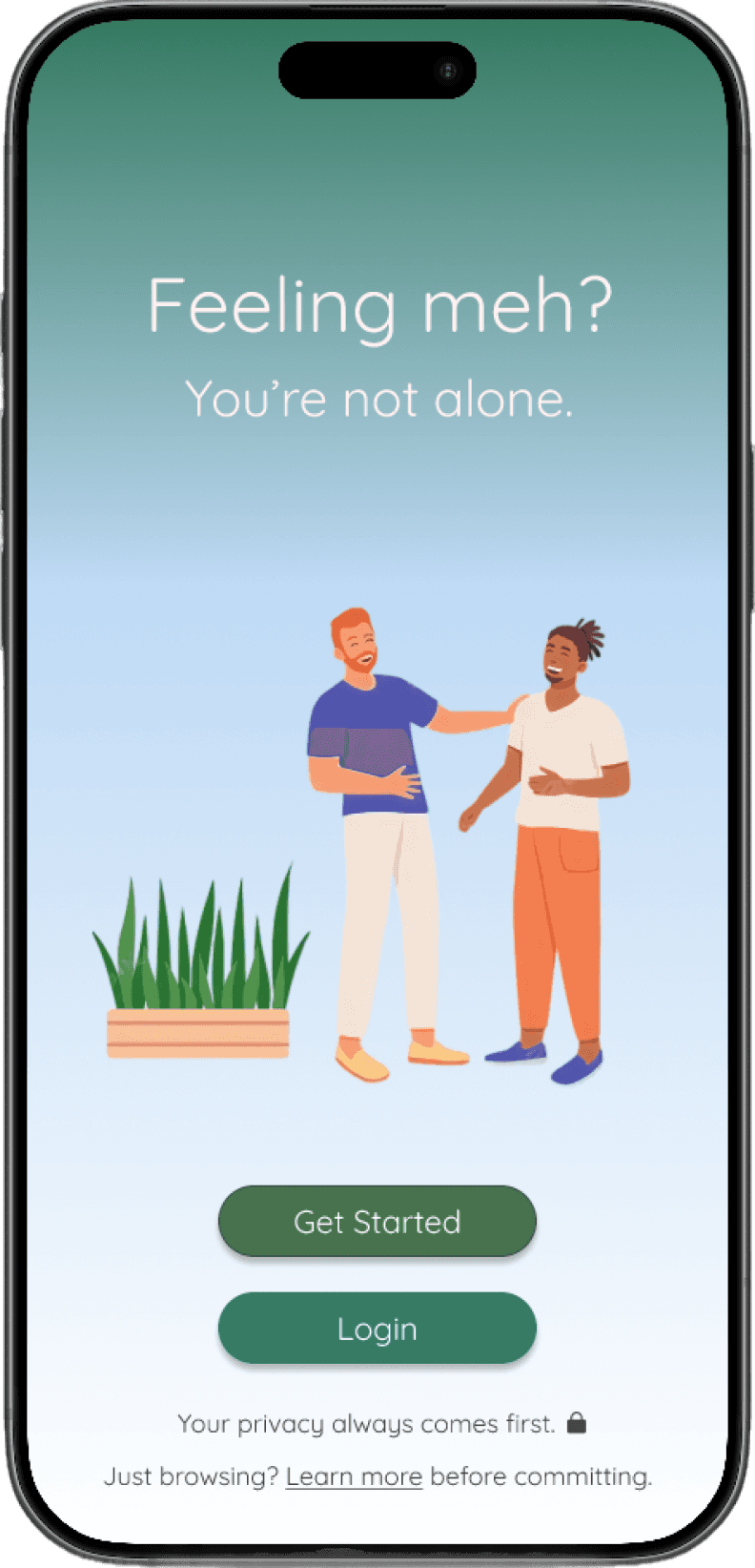
Clear Starting Point
One clear action prompts immediate reflection
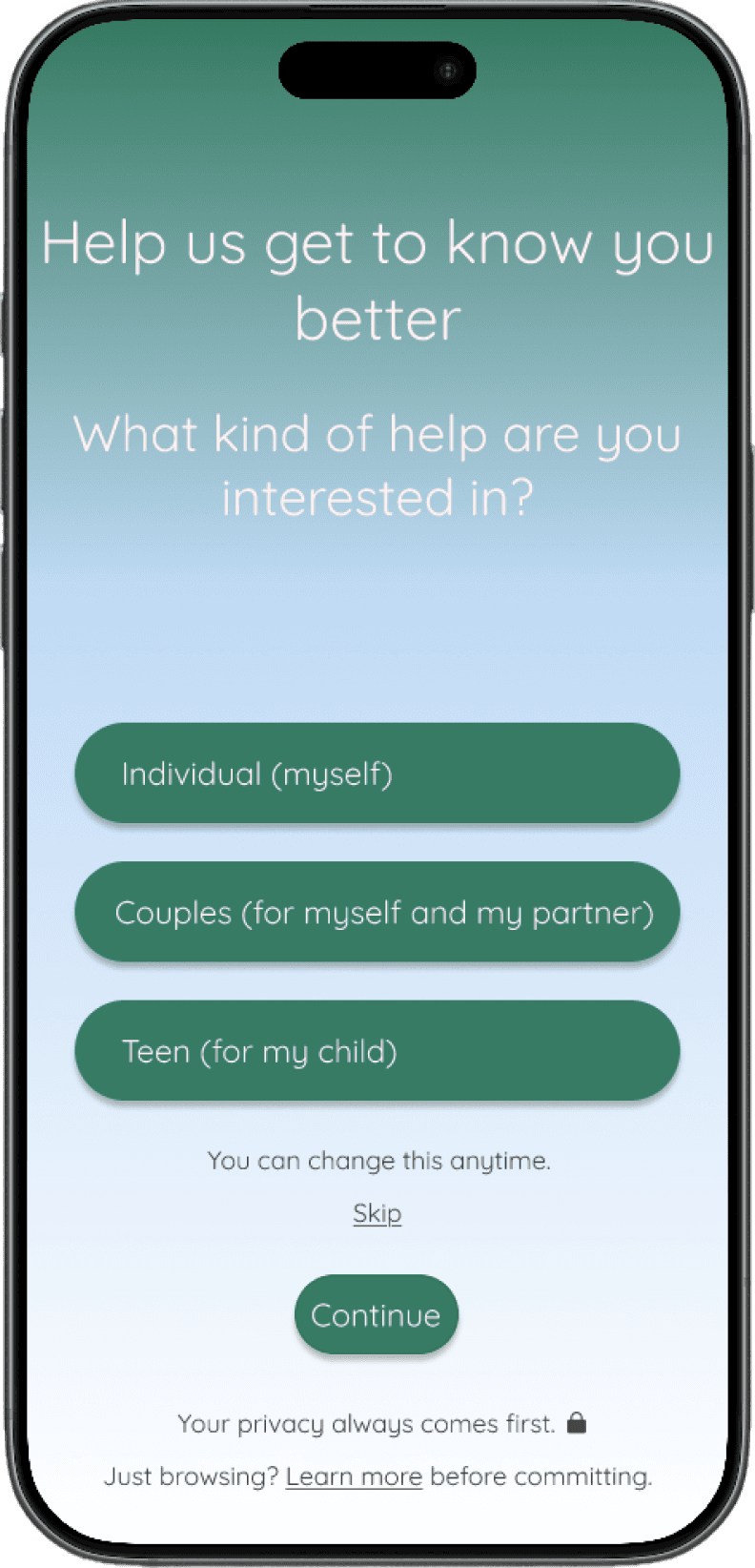
Reduced Friction Early
Fewer inputs make starting effortless
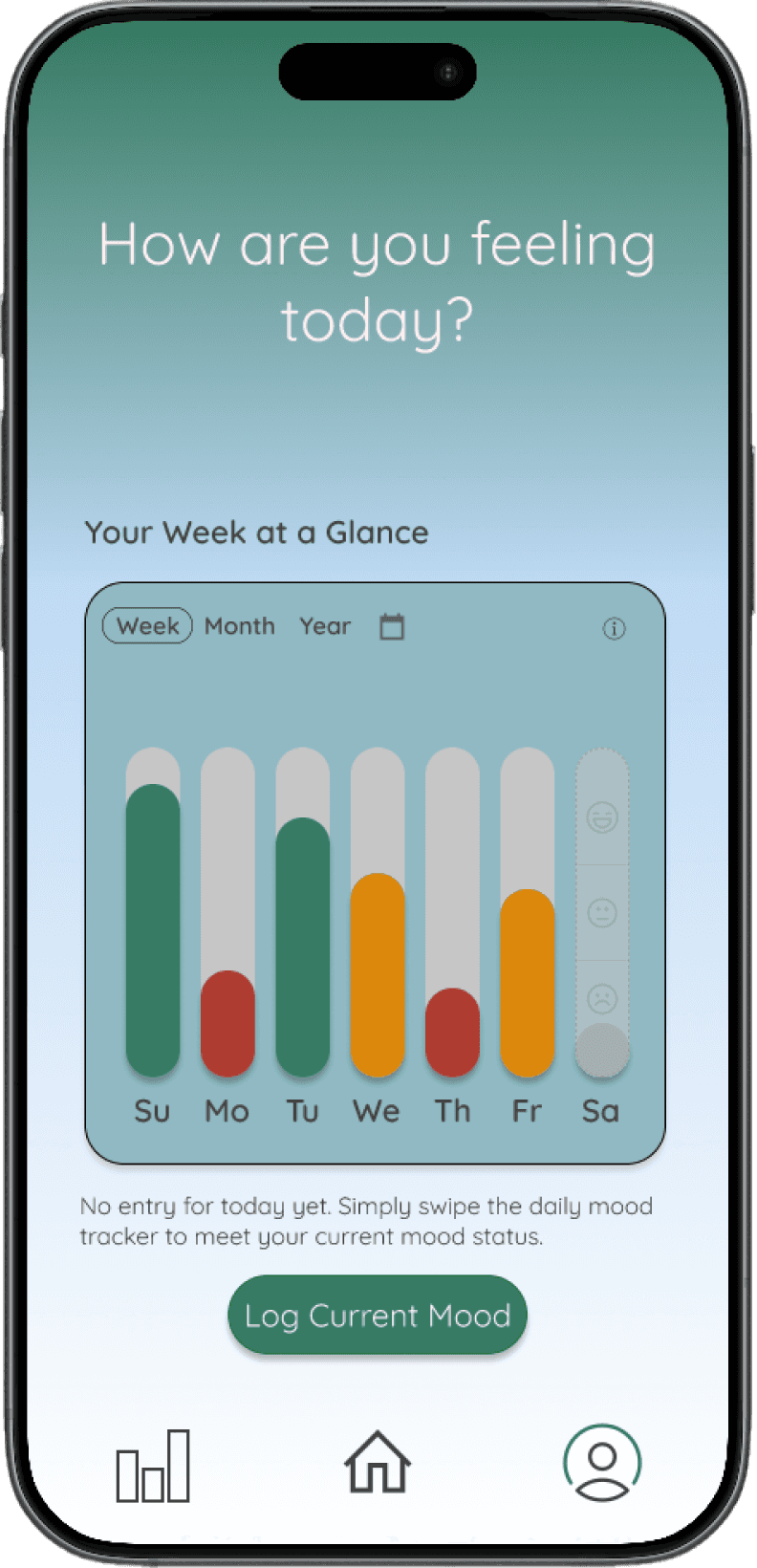
Guided Flow
Simple steps support consistent check-ins
Clear Starting Point
Reduced Friction Early
Guided Flow
Focused on clarity and consistency
Simplified steps to support repeat use
Key Designs
Final interface focused on clarity, low friction, & repeatable
reflection
Core Design Decisions
Clear Starting Point
One clear entry to begin reflection instantly
Reduced Friction Early
Fewer inputs reduce effort and hesitation
Guided Flow
Step-by-step check-ins build consistency
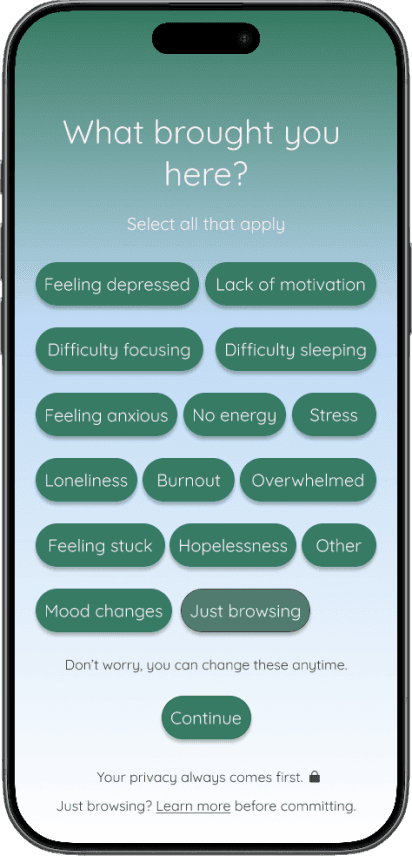
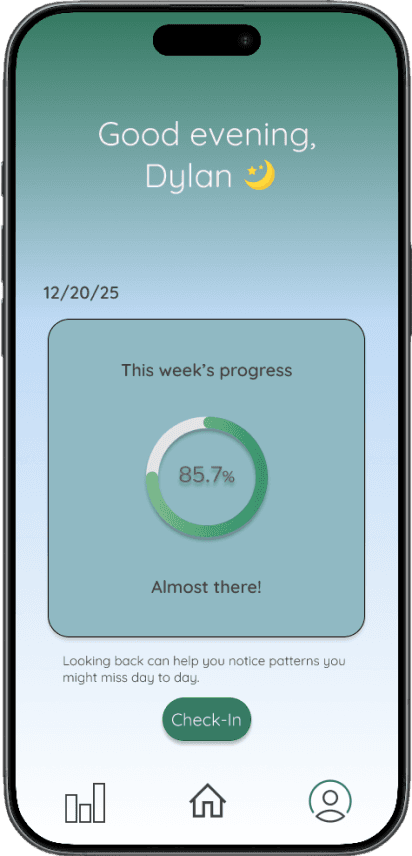
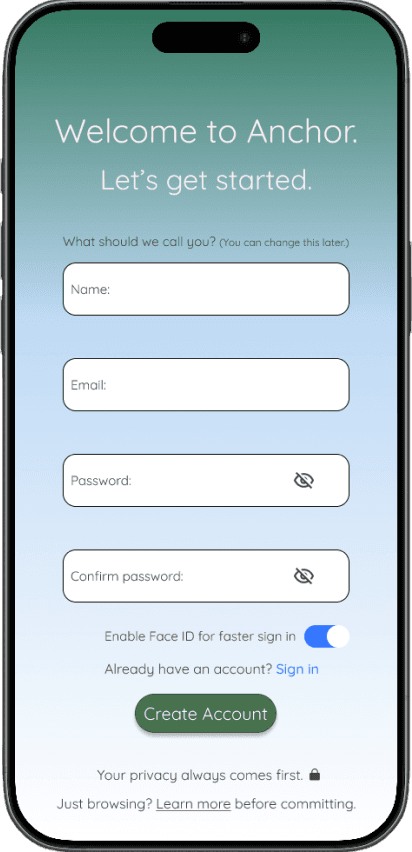
Additional Flows
Designed for quick, consistent reflection
Validation & Impact
How I tested the solution and what improved.
Validation Results
Conducted lightweight usability testing to evaluate clarity and booking flow.
Faster check-ins
Less hesitation at entry
More intuitive flow
Key Learnings
Clear direction drives faster action
Users responded best to one clear starting point
Reducing friction improves consistency
Simplifying early steps increased completion
Guided flows reduce drop-off
Step-by-step check-ins kept users engaged
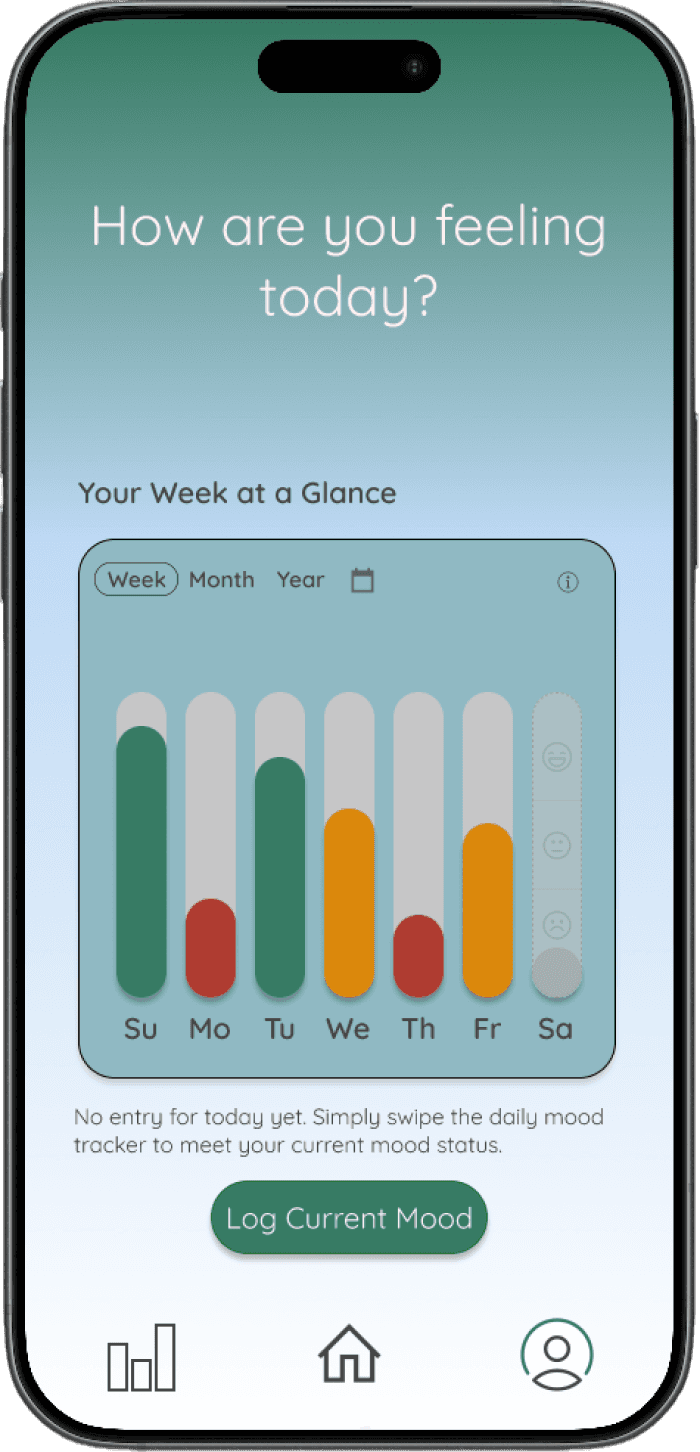
Designed for consistent, low-friction reflection
Simplified interactions improved completion and repeat engagement
Reflection & Next Steps
What I learned and how I’d improve the experience.
What I Learned
Clear direction outperforms too many choices
Structured flows reduce hesitation
Simplicity drives consistent reflection
What I’d Improve
Personalized reflection prompt
Progress tracking to reinforce consistency
Test with a larger, more diverse user group
If I Had More Time
A/B test different entry points
Validate long-term retention and habits
Refine microinteractions for responsiveness
Clarity early in the experience drives stronger completion and consistency
At a Glance
Problem: No clear starting point
Solution: Guided check-ins
Focus: Reduce friction
Outcome: Increased consistency in daily
reflection